Sending by e-mail through Freesavethedate.online
You paste your guests’ e-mail addresses into a window, and Freesavethedate.online sends your invitation as a designed e-mail. Up to 1,000 addresses at a time.
How to send it
- Go to your Dashboard and open the three-dot menu next to your invitation.
- Choose Send e-mail. A window opens with two fields.
- Under Subject, type your own subject line, or leave it empty.
- Under List, paste the e-mail addresses: one per line, or separated by a semicolon.
- Click Send. You’ll see Message sent!
If you see Sending failed, the email wasn’t sent. Check the addresses and try again.
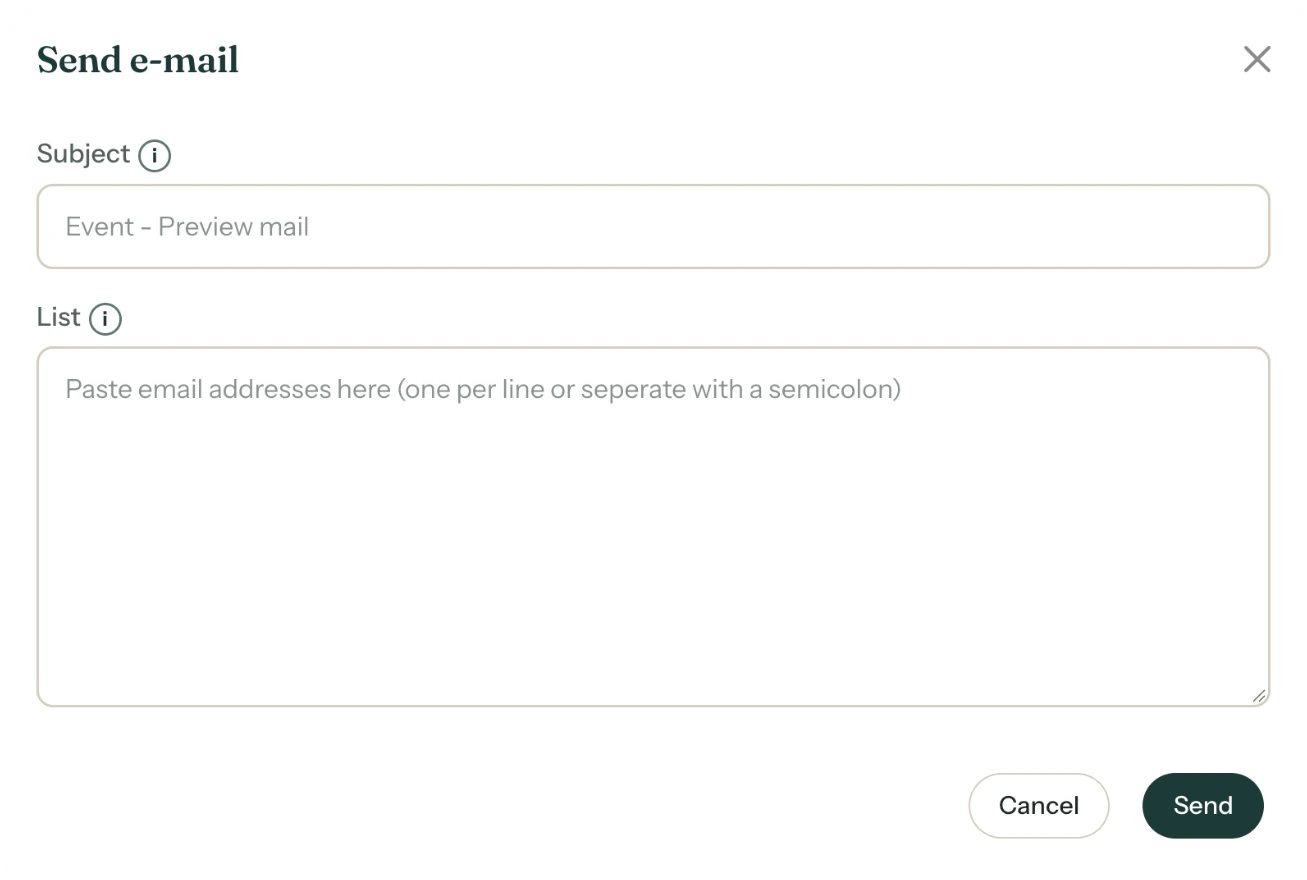
Once your invitation is activated, you’ll also find this window on the All saved screen, under Send the e-mail via Freesavethedate.online to your guest list.
The subject line
Leave the field empty and Freesavethedate.online picks a standard subject that fits your occasion. For a save the date that’s “Invitation:” followed by the name. Your own subject can be up to 150 characters.
Test first
Leave List empty and click Send: the e-mail then goes to you, at your account’s address. That way you see how it arrives.
What your guests get
An e-mail with your design and the same buttons as on your page, such as R.S.V.P. and Add to calendar. At the top there’s a link to the web version. At the bottom it says the invitation was sent via Freesavethedate.online on your behalf, with your e-mail address for questions. If a guest replies to the email, the reply comes to you.
Next step: Forward the invitation yourself
Last updated: November 11, 2026
- All the ways to share your invitation
- Sending by e-mail through Freesavethedate.online
- Forward the invitation yourself
- Sending an invitation on WhatsApp
- A QR code on your card or flyer
- Sending an update after a change
- Your invitation's web address
- Sharing on Instagram
- Sharing on Facebook
- Sharing on LinkedIn
- Sharing on X
- Sharing via Signal, Telegram or text message
- Reminding guests