My photo won't upload
Usually the photo has been chosen but not placed yet, or the file can’t be read. Go through the causes below.
1. The photo hasn’t been placed yet
After choosing, you see the photo in the Image window with the label Not placed yet. It’s only on your invitation once you click Place image and the upload and processing have finished. The window then closes by itself. If you closed it in between with Close anyway, the photo wasn’t placed: choose it again.
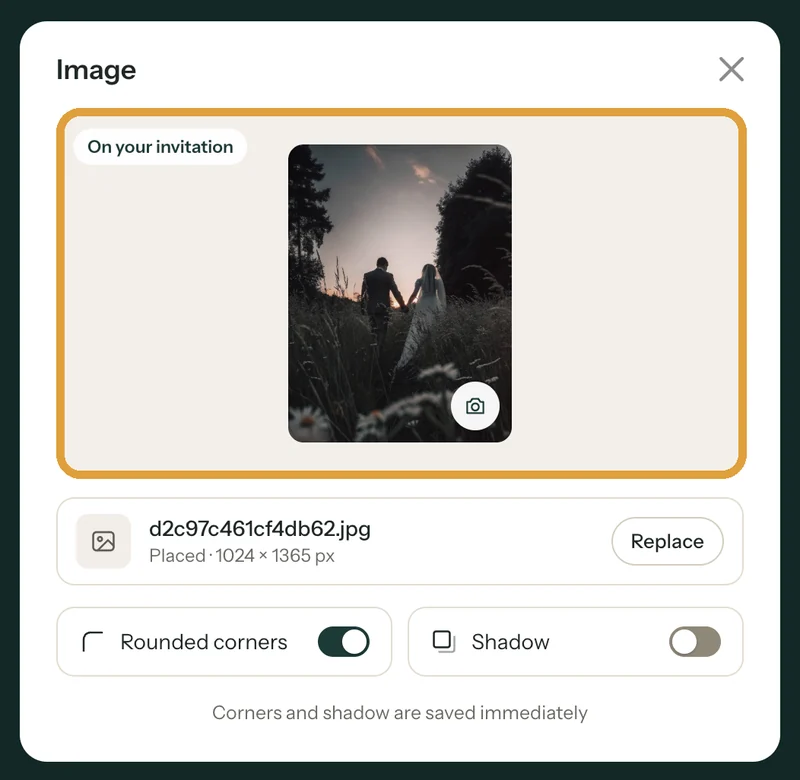
2. The file can’t be read
You can use JPG, PNG, WEBP or HEIC (iPhone). If you see We could not read this photo. Try another file., save the photo as a JPG and try again. A HEIC photo is converted to JPG automatically.
3. The connection drops
If you see Upload failed. Check your connection and try again., sending was interrupted. Click Try again on a stable (Wi-Fi) connection and keep the window open until the photo is placed.
4. It takes a long time
The builder first makes a very large photo smaller, to at most 2000 pixels on the longest side. Then it’s uploaded and processed. When you see Processing photo… this can take a moment, just wait; don’t close the window yet.
Which photo works best is explained in Which photo works best?.
Last updated: November 11, 2026
- My guests didn't receive the email
- I’m not getting e-mails from Freesavethedate.online
- WhatsApp or Facebook shows an old image
- My photo won't upload
- My invitation still shows example details
- My invitation looks different on mobile
- Checking your invitation the way guests see it
- The Add to calendar button doesn't work