The Add to calendar button doesn't work
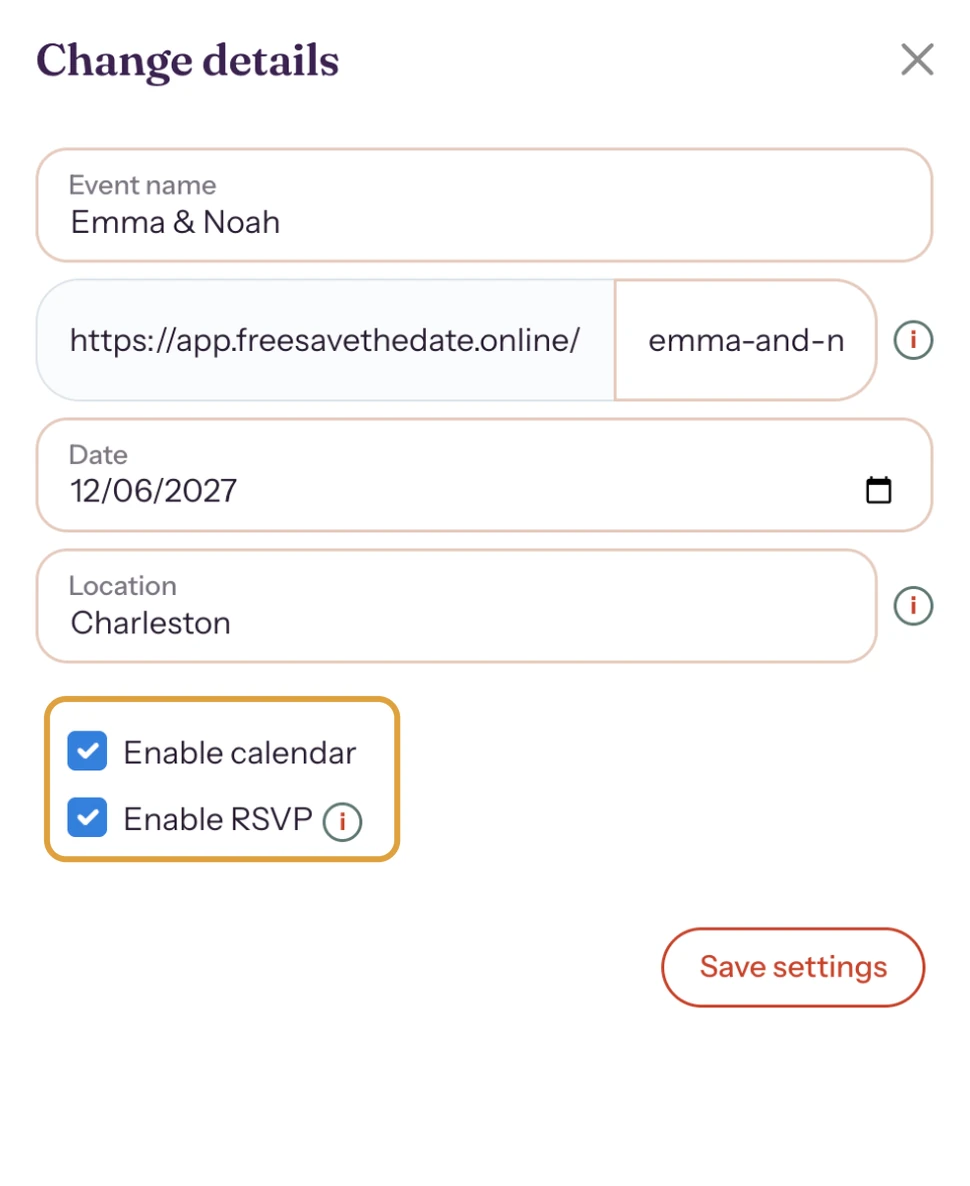
The cause is almost always in Change details: the button is switched off, or the date is missing. Go through the points below.
1. The button is switched off
In your dashboard, open the menu (three dots) next to your save the date and choose Change details. Tick Enable calendar, then click Save settings.
2. It lasts all day
A save the date goes into the calendar as an all-day event. That’s intended: there is no time yet.
3. The place is wrong
Your guests’ calendars show whatever is in Location. Type the place or address and pick a suggestion from the list that appears.
4. You’re viewing it inside an app
If you open the link from Instagram or Facebook, for example, it opens in that app’s built-in browser, where saving to a calendar sometimes fails. Open the link in your regular browser.
More about this button: Turn on the Add to calendar button.
Last updated: October 24, 2026
- My guests didn't receive the email
- I’m not getting e-mails from Freesavethedate.online
- WhatsApp or Facebook shows an old image
- My photo won't upload
- My invitation still shows example details
- My invitation looks different on mobile
- Checking your invitation the way guests see it
- The Add to calendar button doesn't work