Which buttons can you turn on?
Your save the date has two buttons at the bottom: Add to calendar and RSVP. On a new save the date both are on.
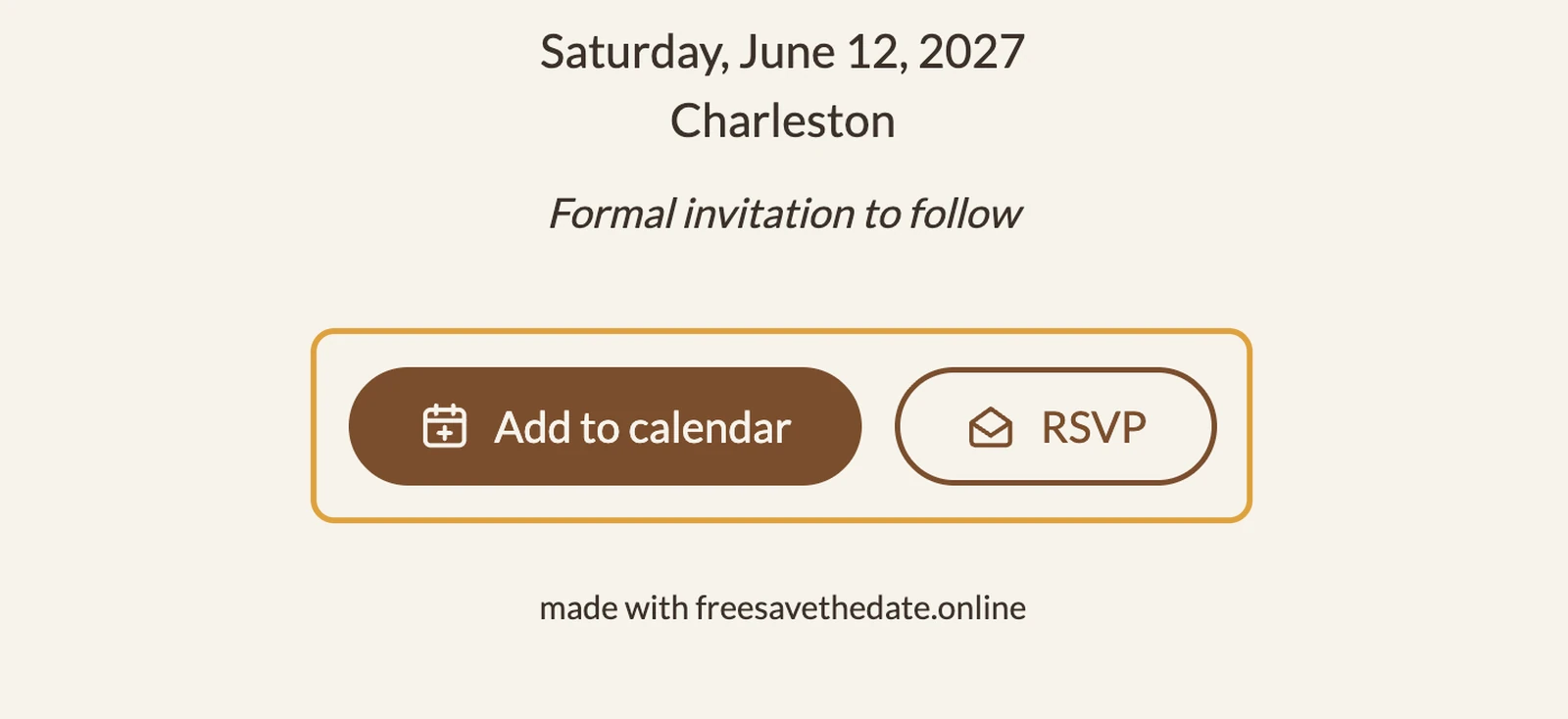
What does each button do?
- Add to calendar. Guests save the date in Google Calendar, Apple Calendar or Outlook with one tap, as an all-day event.
- RSVP. Guests let you know early on whether they can make it. You see the answers on your dashboard and can download them.
Directions and a guestbook are not part of a save the date. They belong in the invitation you send later, see From save the date to invitation.
Switching a button on or off
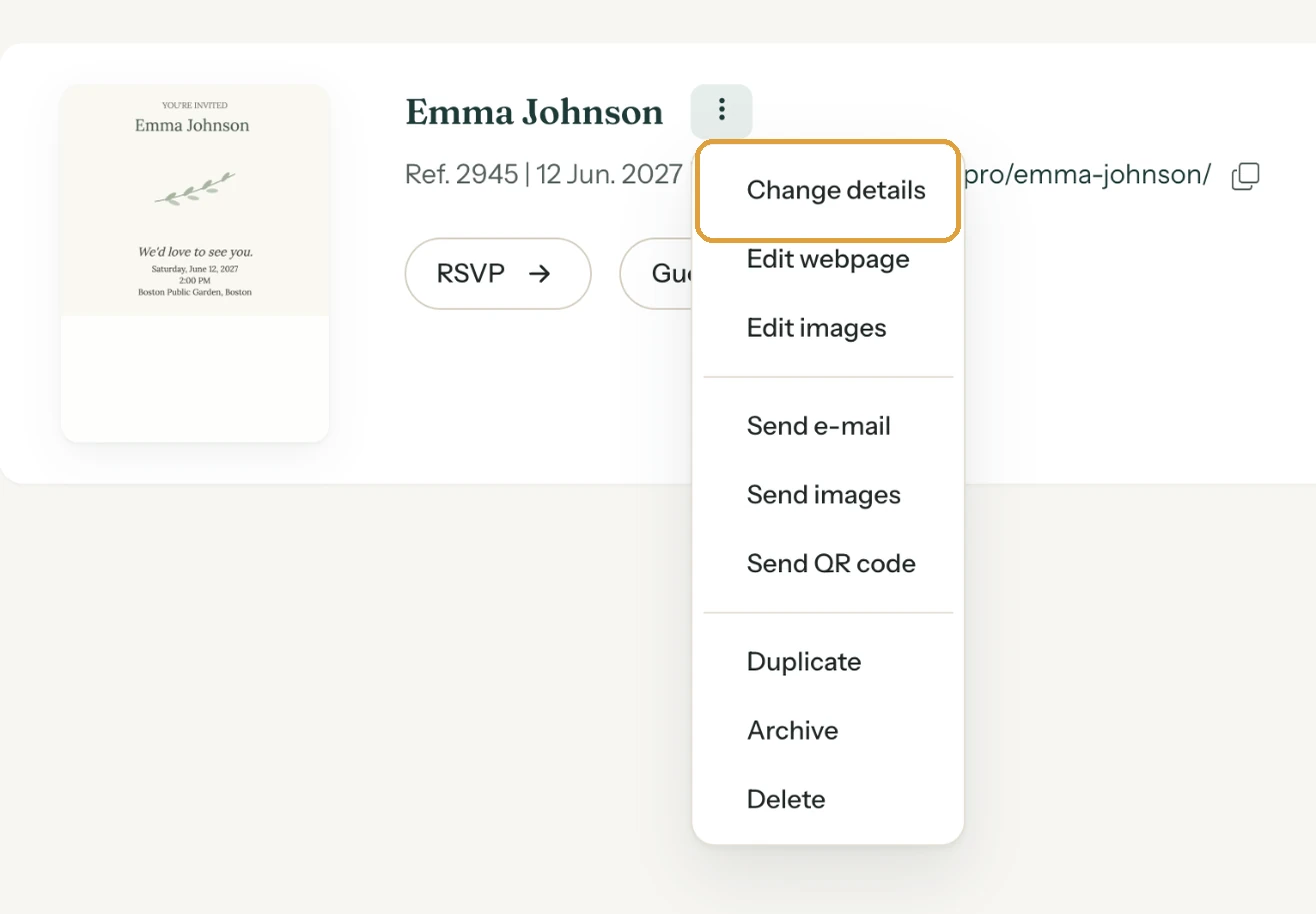
- Go to your dashboard and click the menu (the three dots) next to your save the date’s name.
- Choose Change details.
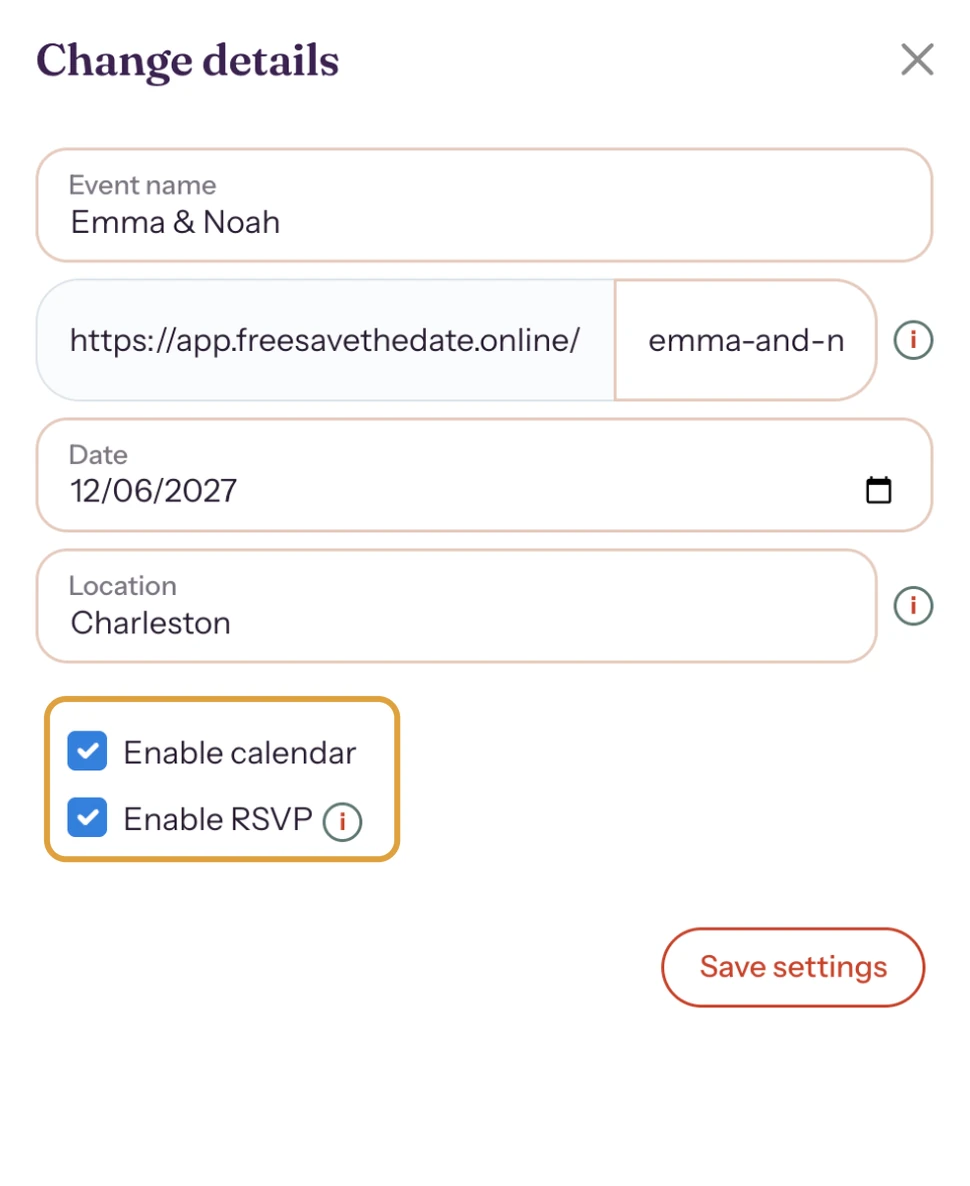
- Tick or untick Enable calendar or Enable RSVP.
- Click Save settings.
This also works after you’ve shared the link. Your guests see the change the next time they open the page.
Next step: See your invitation the way your guests do
Last updated: November 11, 2026